The travel app for the whole family
One trip plan that travels with you, from counting down to looking back. See where the trip is going together, choose what to do there and keep what you want to remember. For the whole family, kids included. For iPhone, offline, no account.
Free · No ads · No tracking · For iPhone · In five languages
"Are we there yet?" usually comes from a kid in the back seat who has no idea where the trip is going. TravElly turns that around.
A trip is hard to picture when you don't know the places yet, and for kids even more so. With TravElly everyone knows where the trip is going: four days at the beach house first, then into the mountains. At every destination you look up what there is to do, a cave, a waterfall, a zoo, and kids love doing that themselves. Whatever you find goes into the trip. Along the way you keep what you want to remember, and you come home with a record of a trip the family didn't just go on, but made together. No account, no ads, no server.
Overview
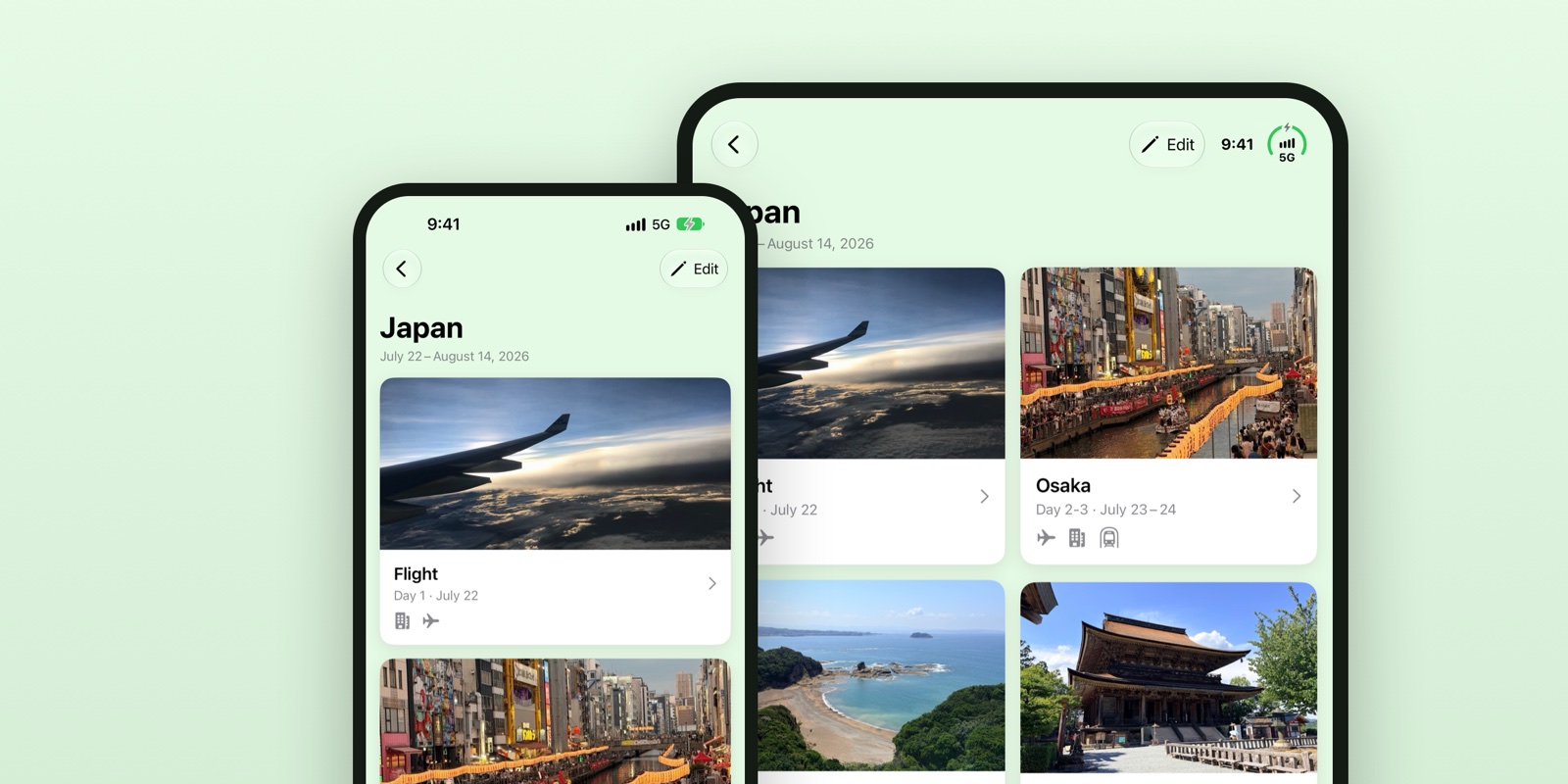
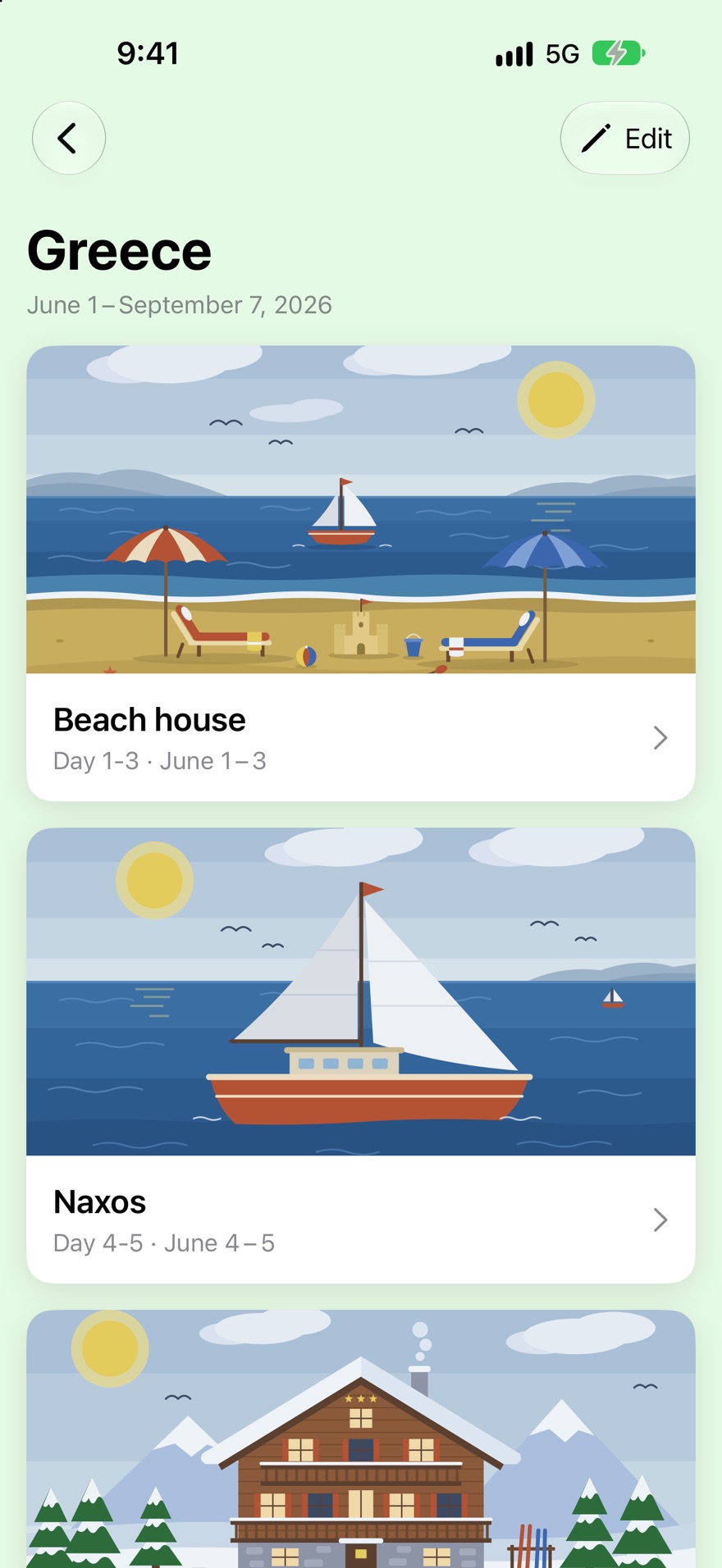
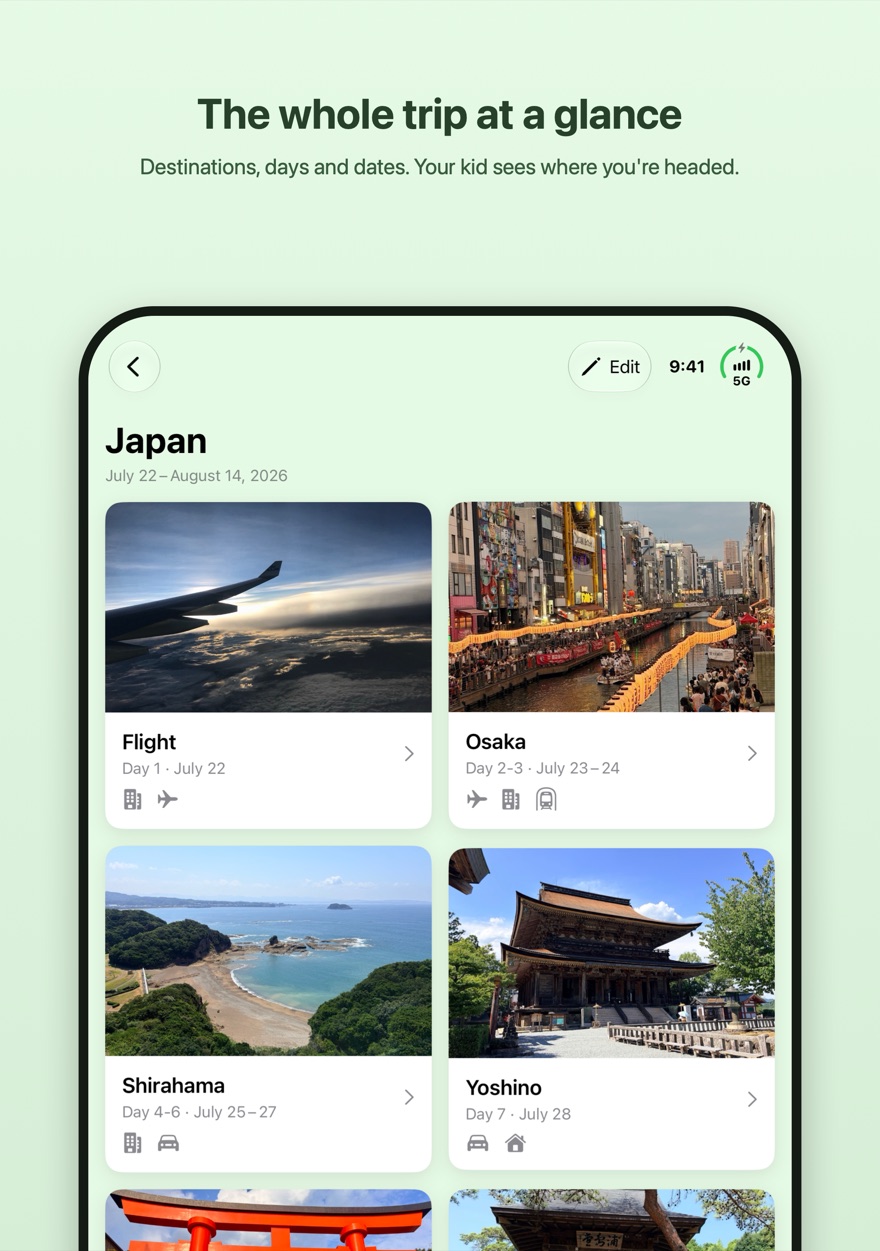
TravElly lays out the whole trip: where you're going, in what order, on which dates, and how long you'll stay. The trip becomes concrete before it begins.
For your child, the overview answers the question "where are we actually going?". For you and your partner, it's the shared trip plan, on everyone's own iPhone.
Every destination gets a picture. If you have a photo of your own, it goes on top. Otherwise you pick a drawing that fits the place: beach, boat, camper, campsite, hotel, city, nature, holiday park, winter sports or theme park. A kid sees at a glance what kind of place it is, even before they've ever been there.
On an iPhone Duo, TravElly uses the large inner display: destinations sit side by side in the trip overview, and a destination shows the photo and days on the left with the plan and diary on the right.
Planning along
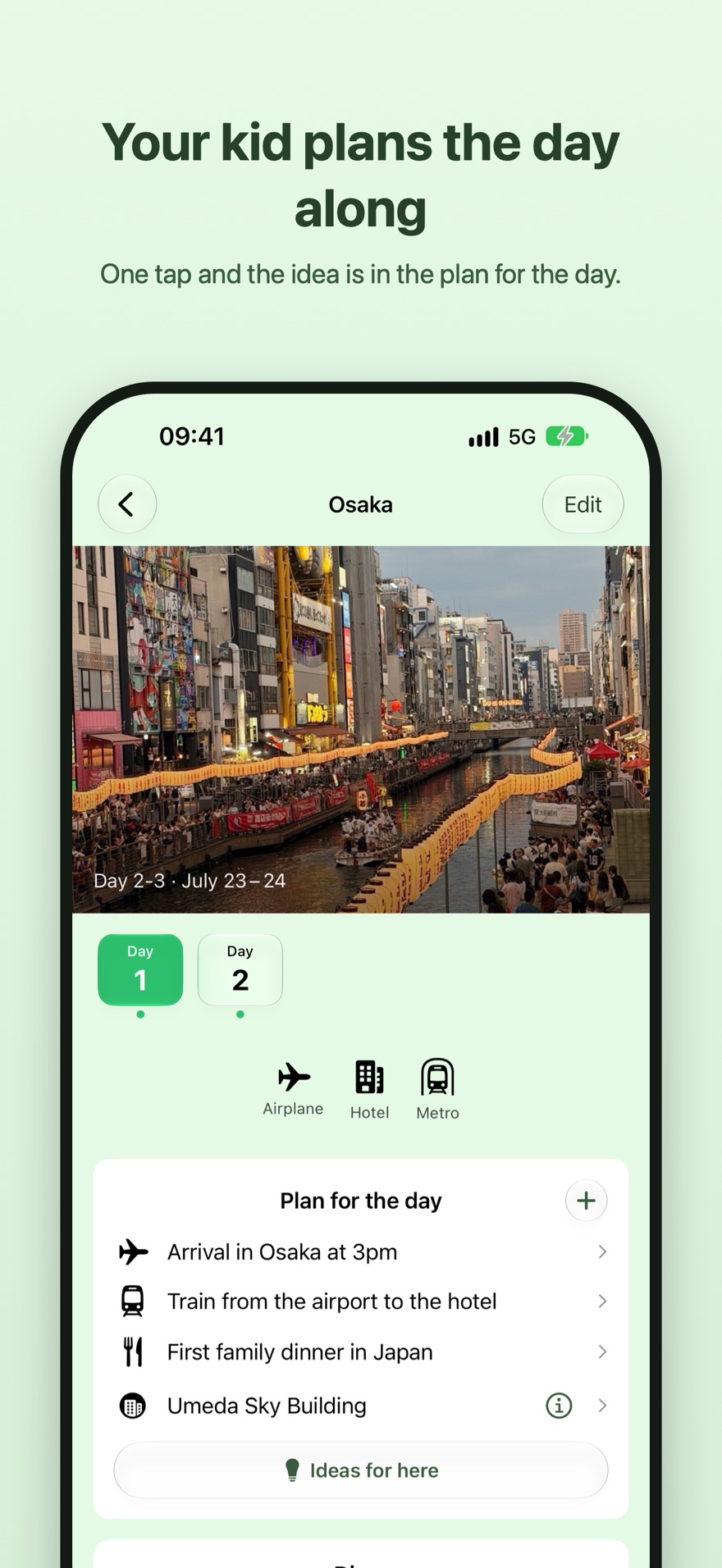
Everyone in the family sees every destination and can look up what there is to do there. Kids are happy to help plan a trip, as long as they know where it's going. A cave, a special shop, a waterfall. Whatever you find goes into the plan for the day.
A passenger becomes a co-planner. Nobody just goes along with the trip, everyone helps fill it in. And the anticipation starts weeks before departure.
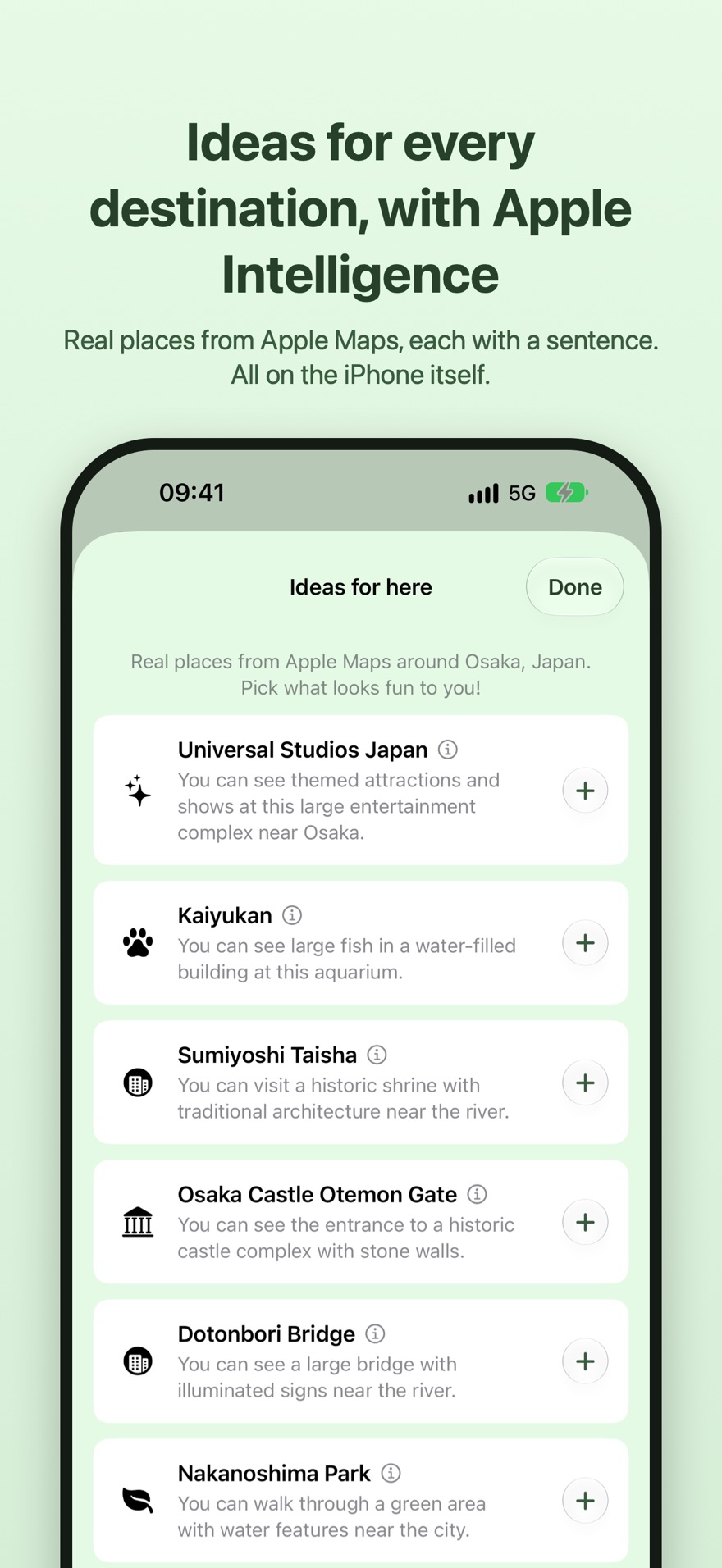
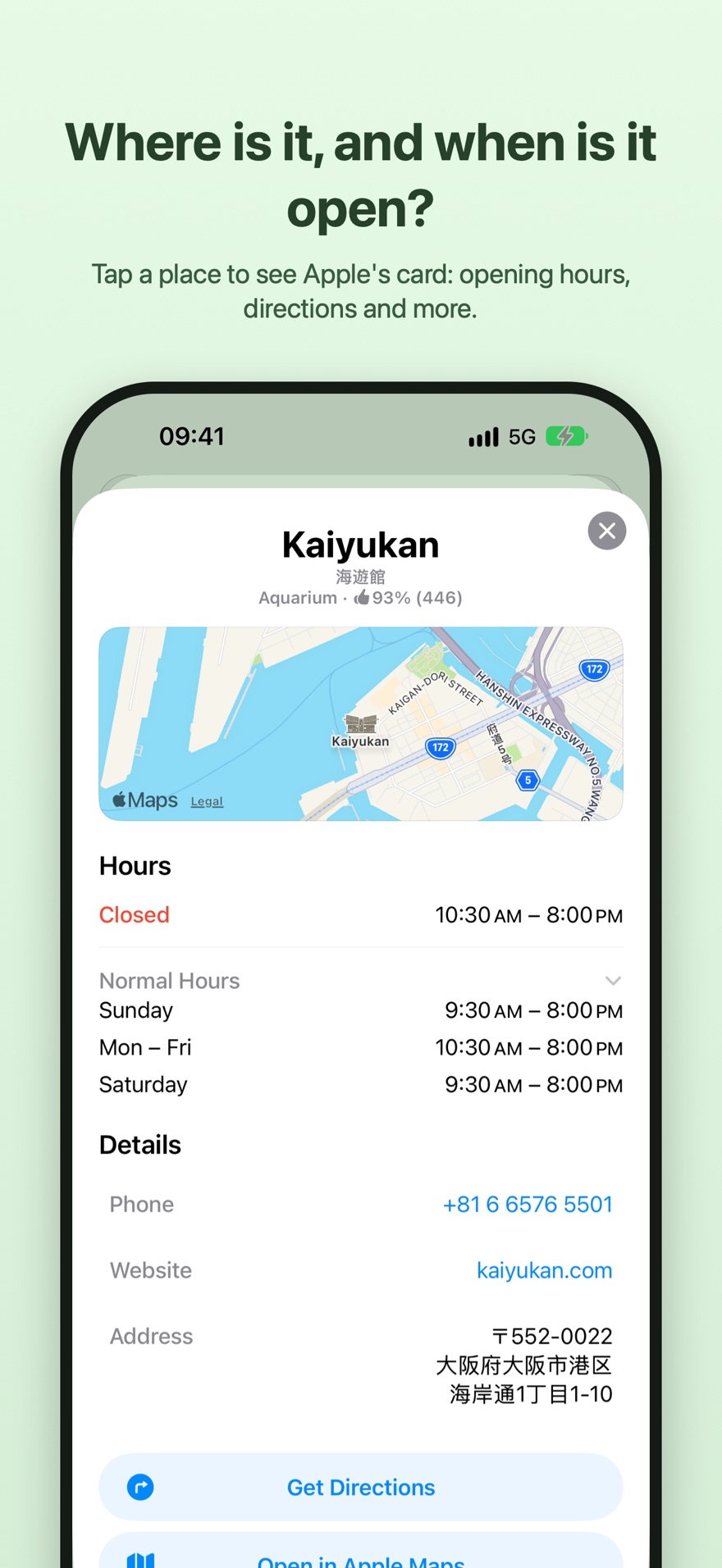
Not sure where to start? Every destination has an Ideas for here button: real places from Apple Maps nearby, from the zoo to the famous tower or a good walk. Tap a place to see where it is, when it's open and how to get there. One tap on the plus and it's in the plan for the day.
On an iPhone with Apple Intelligence, TravElly does even more. The iPhone then puts the destination's best-known places at the top, from Universal Studios to the aquarium with the whale shark, and writes a short explanation for each one, worded so that kids understand it too. All of it happens on the phone itself, in your family's language. Nothing goes to an AI service on the internet.
Capturing
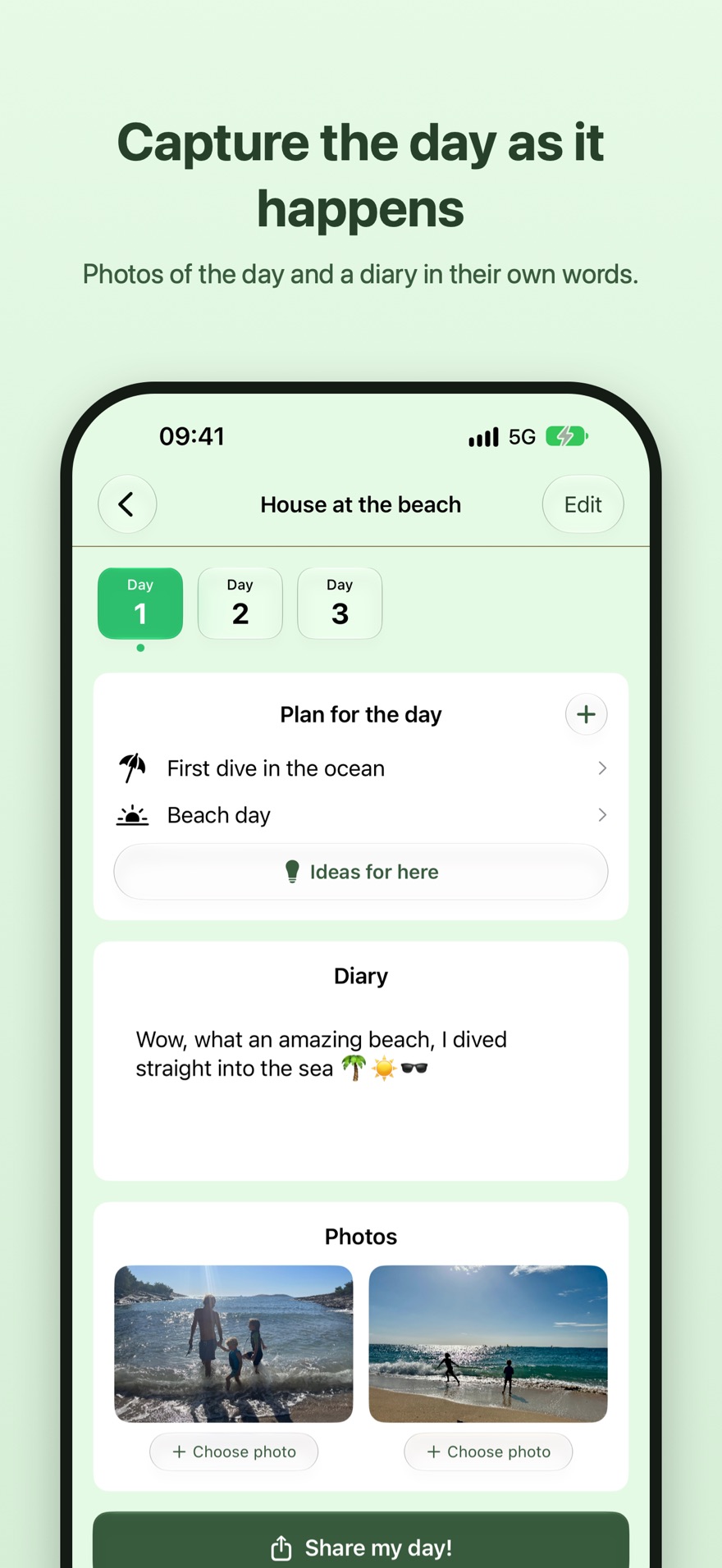
On the road, TravElly is a travel diary for kids, and for anyone else who wants to write along. You pick the photos of the day and write down what happened in your own words. Stuck on how to start? Every day there's a different question waiting, like "Which photo would you send to grandma or grandpa?"
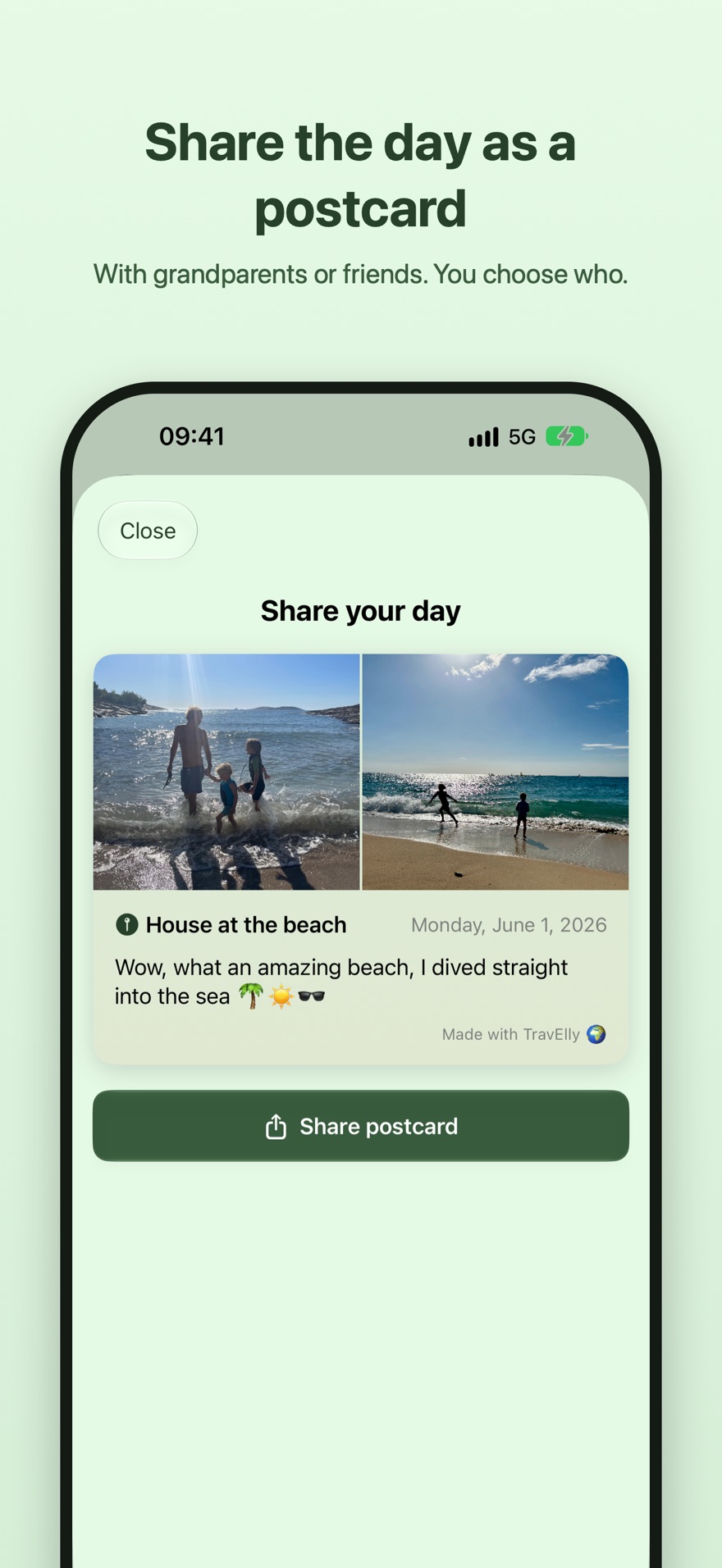
One tap turns a diary page into a digital postcard. Send it via WhatsApp, iMessage or email to grandparents or friends: straight to people you choose, not to a platform.
And the diary stays. A few years from now, your child can read back what it was like to be nine in Japan.
In practice
We saw this pattern with a family planning a tour of Malaysia. The parent put the route in the app, the child looked up what there was to do at every stop and filled in the plan. Along the way, the child kept the diary.
Destinations, dates, and places to stay go into the app. Done in an evening.
Share the trip in one tap via WhatsApp, AirDrop, or iMessage. Your partner and your child open it in their own TravElly and see the same overview.
Kids see where the family is going, tap Ideas for here or look things up, and add what they find to the destinations. The trip becomes their trip too.
Picking photos, writing about the day, and sharing it as a postcard with grandparents or friends. Kids first, parents welcome.
Made this way on purpose
Many apps are built to stay open as long as possible, and apps for kids most of all. Points you lose if you skip a day, rewards that pull you further in, notifications telling you you're missing out. TravElly deliberately leaves all of that out. The app is about the trip, not the screen.
No points, badges or streaks. You write because you have something to tell, not to keep a streak alive.
No notifications. TravElly never sends a push message. You open the app when you want to do something.
No ads. Nothing in TravElly tries to sell you anything, and certainly not your child.
No likes, followers or feed. You write for yourself, not for an audience.
No endless scrolling. The app has a beginning and an end, just like the trip.
Once the day is in the diary, the app is done. Then it's back to the vacation itself.
Privacy
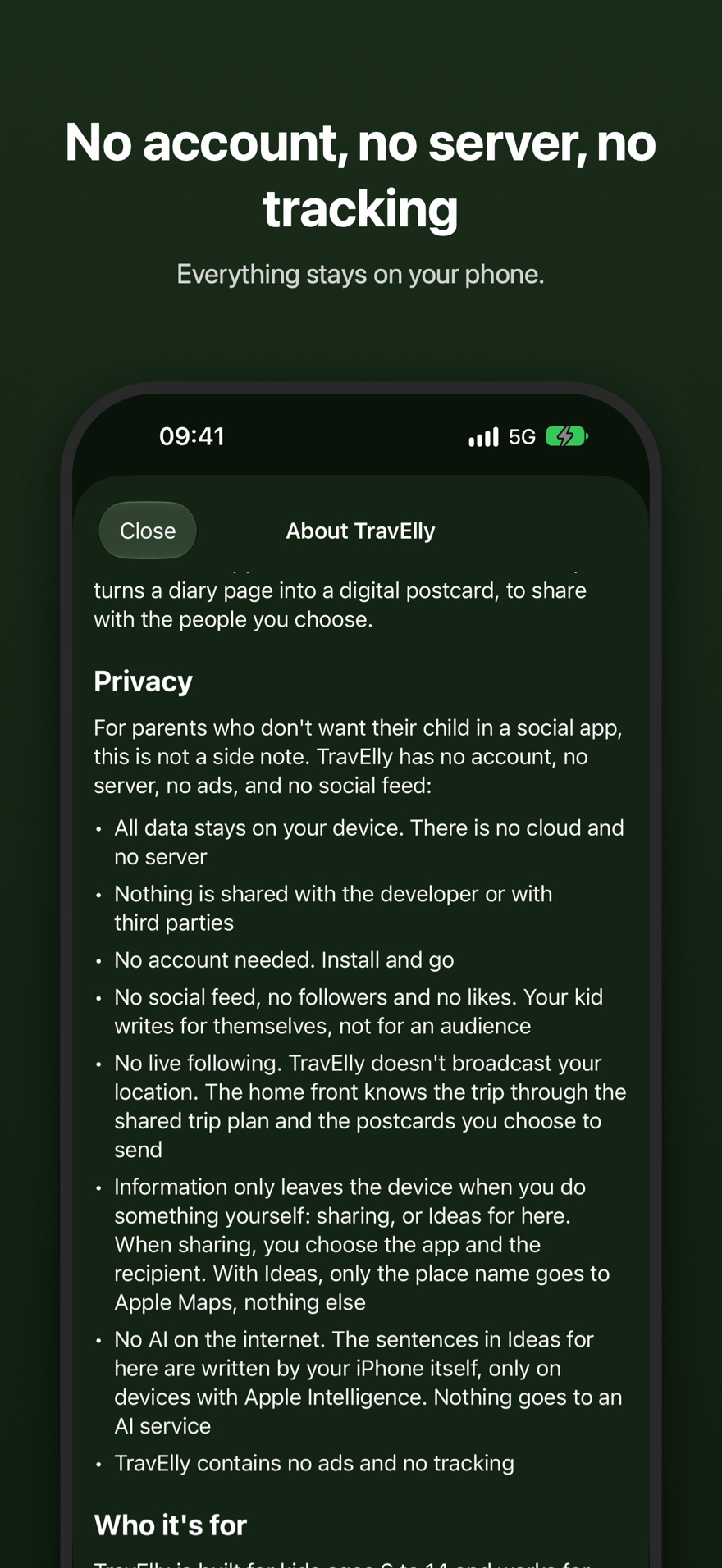
For parents who don't want their child in a social app, this is not a side note. TravElly has no account, no server, no ads, and no social feed.
All data stays on your device. There is no cloud and no server.
Nothing is shared with me or any third party.
No account needed. Install and go.
No live following. TravElly doesn't broadcast your location. The home front knows the trip through the shared trip plan and the postcards you choose to send.
Information only leaves the device when you do something yourself: sharing, or Ideas for here. When sharing, you choose what and with whom. With Ideas, only the place name goes to Apple Maps, nothing else.
No AI on the internet. The sentences in Ideas for here are written by the iPhone itself, only on devices with Apple Intelligence. Nothing goes to an AI service.
TravElly contains no ads and no tracking.
No server means no data breach. Dutch news outlet NOS reported on travel app Polarsteps, where an unsecured connection left the data of 23 million users open to view, including locations, photos and trips that were set to private. TravElly has no server and no user database. What is never collected cannot leak.
Source: NOS on the Polarsteps data breach (Dutch). Read our full privacy policy.
Who it's for
An app where parents and kids work on the same trip.
TravElly is built for families, and made so that kids can use it themselves: simple, visual, and without anything that pulls at you. From around eight, most kids use it on their own; younger kids use it together with a parent, and for teens and parents it's simply a calm trip planner. Everyone looks at the same trip plan.
The app can live on a parent's phone, so kids use it together or with supervision. That fits families who prefer limited or controlled smartphone use. You can also install TravElly directly on your child's phone. You decide what works for your family.
About
TravElly is built by me, Jeroen (49), father of two kids aged 7 and 10. I made it for our own trip to Japan, so the kids could see where we were going and plan along. I started in December 2025 and shipped within four months. It's my first app. I built it with what I call artisanal vibe coding: writing the app by hand alongside AI tools, taking the time to keep things small, clean, and honest. No team, no investors, no business model. Just an app I wanted my own family to use.
Accessibility
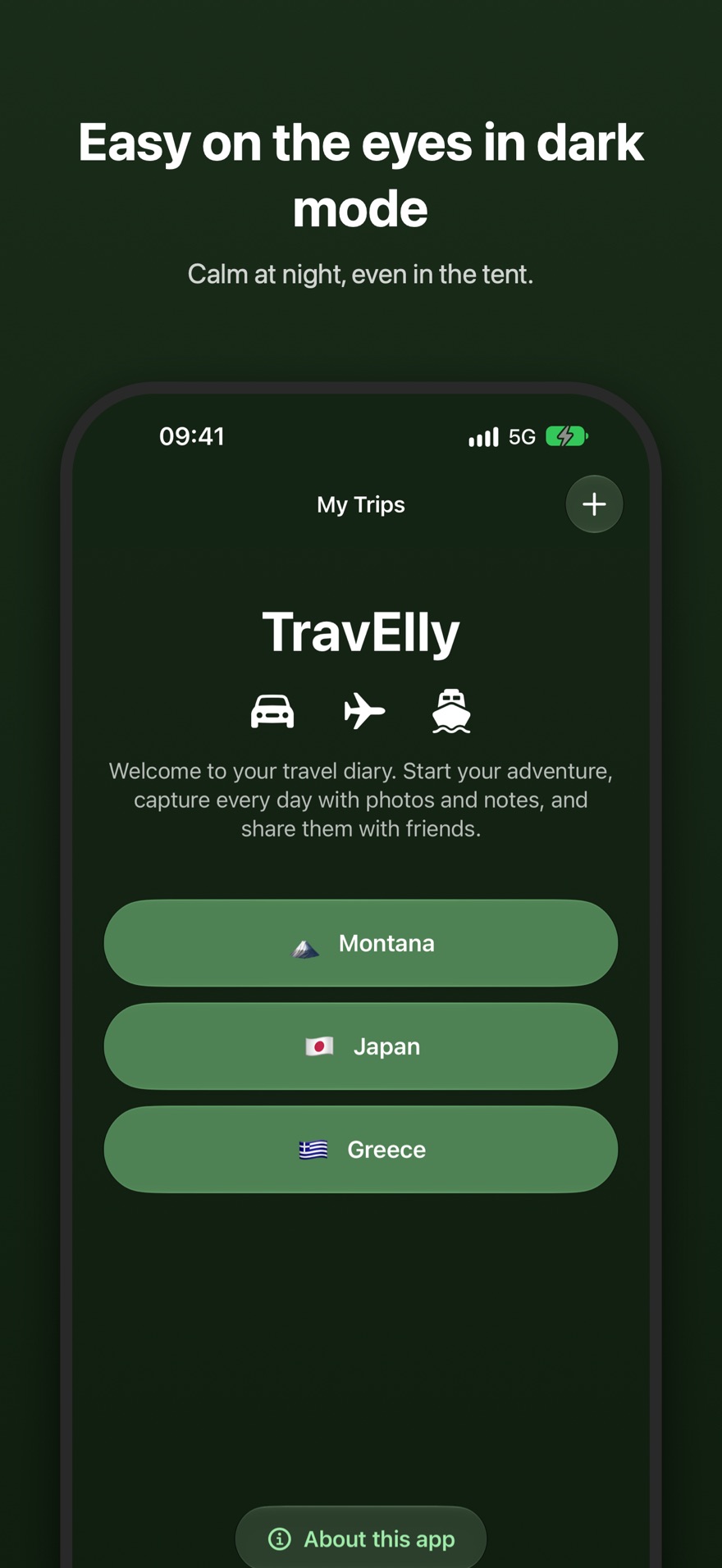
TravElly follows your iPhone's dark mode setting automatically. The calm, dark color scheme reduces visual strain. People with light sensitivity or an acquired brain injury may especially benefit from it, as does anyone who prefers softer light.
FAQ
The whole family. The app is made so that kids ages 6 to 14 can use it: from around eight, most kids look up activities and write in their diary on their own, younger kids do it together with a parent. For teens and parents it's simply a clear trip planner.
Yes. Your child sees the destinations of the trip and adds activities to them. The Ideas for here button also suggests real places from Apple Maps. They plan along and know before departure what there is to do.
Yes. The trip plan, plan for the day, diary and photos work offline, which is ideal on vacation. You only need a connection for Ideas for here, for sharing the trip and for the postcard.
Yes, but only on the phone itself. On an iPhone with Apple Intelligence (iPhone 15 Pro and newer, iOS 26 or later), the phone finds the best-known places near a destination and writes a short sentence for each place in Ideas for here. Nothing goes to an AI service on the internet, not to ChatGPT either. Without Apple Intelligence the button still works: you get the places from Apple Maps, without those sentences.
No. TravElly is free, with no subscription and no ads.
Yes. Once the trip is set up, share it via WhatsApp, AirDrop, or iMessage. Anyone with an iPhone and TravElly receives the same trip and can keep their own diary.
No, by design. TravElly doesn't broadcast your location; there is no server and nothing is tracked. What you can do: share the trip beforehand, so the home front knows exactly when you'll be where. And along the way, kids send digital postcards of their day.
Yes. You can create multiple trips. Each trip gets its own overview and its own diary.
No. The app can live on a parent's phone, so kids use it together or with supervision. Or install TravElly directly on your child's phone, whichever fits your family.
TravElly is an iPhone app and runs on any iPhone with iOS 18.6 or later. It's at its best on an iPhone with Apple Intelligence (iPhone 15 Pro and newer, iOS 26 or later), where Ideas for here gets smarter. On iPhone Duo, TravElly uses the large inner display, with the trip overview in two columns. There is no Android version yet; it's on the wishlist.
TravElly is available in English, Dutch, French, Spanish and German. The app follows your iPhone's language; if that is set to any other language, TravElly appears in English. To use a different language than your iPhone's, pick it under Settings → TravElly → Language. The diary questions and Ideas for here are translated in every language too; on an iPhone with Apple Intelligence, the device writes its sentences in the app's language. This website is available in English and Dutch.